The following ports needs to be available for containers
The following ports need to be available for running the Docker instance. Make sure you are using stopping the services so it’s available for Docker to consume.
Note: Always use iisreset /stop in the command line rather than stopping it in IIS.
To check the port availability, run the following in PowerShell. It shouldn’t return any process.
netstat -ano | findStr 127.0.0.1:443
netstat -ano | findStr 8079
netstat -ano | findStr 8984
netstat -ano | findStr 14330
Installation:
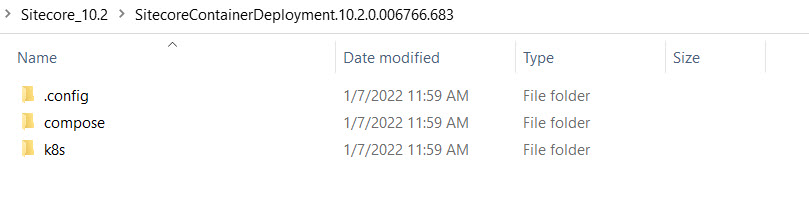
Extract the file zip file downloaded into Sitecore_10.2(or any folder name).
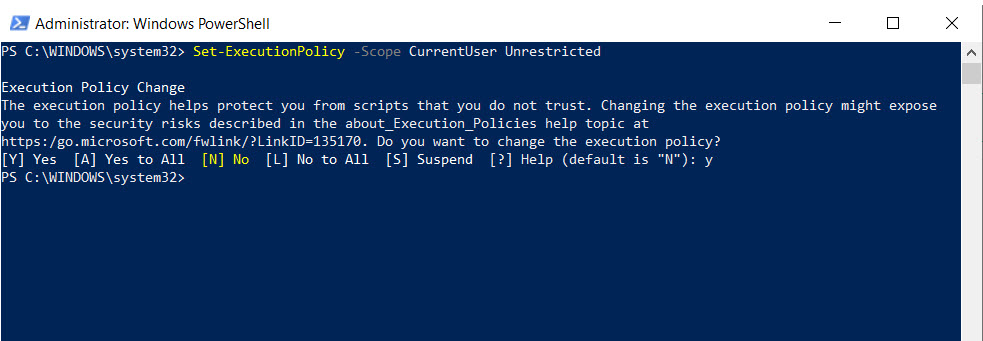
2. Execute this command to set the execution policy unrestricted.
3. Navigate to XP1 folder (Sitecore_10.2\SitecoreContainerDeployment.10.2.0.006766.683\compose\ltsc2019\xp1) in PowerShell and run compose-init.ps1 script.
.\compose-init.ps1 -LicenseXmlPath <License Path>
Note: I’m installing XP1, If you want XP0, navigate to XP0 folder and follow the same exact steps.
4. Run docker-compose pull
docker-compose pull
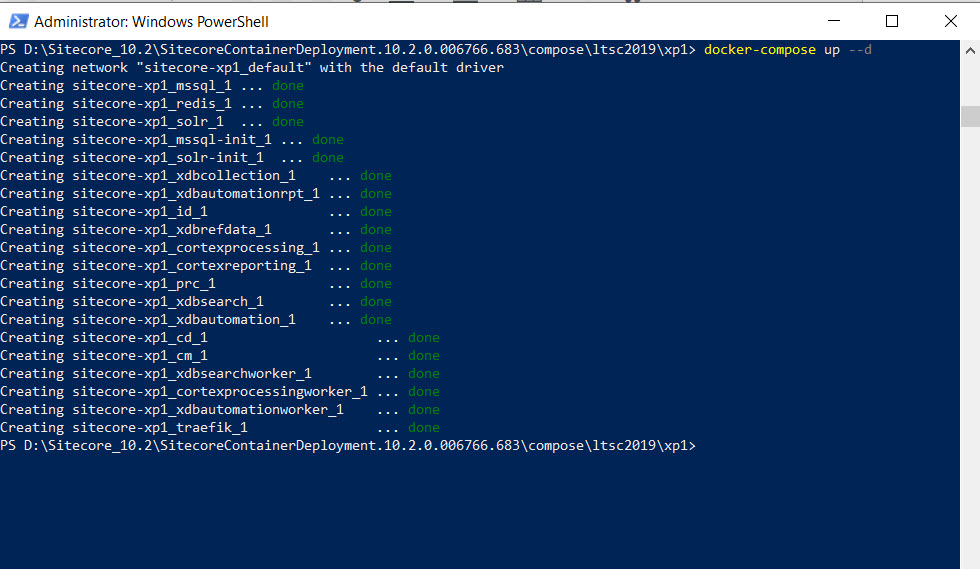
5. Run docker-compose up (It takes some time, you can get a coffee!)
docker-compose up –d
Once it’s done, let’s bring in CM instance –
https://xp1cm.localhost/sitecore
Login as adminusing ‘Password12345‘ password (not b though)
It’s so cool see the new desktop view! Cool work Sitecore!
It’s time for CD instance –
https://xp1cd.localhost/
Errors and Resolutions:
If you get unhealthyfor any nodes, don’t worry. It’s very common, I get this most times.
Incognito/private mode to see if Forms are showing up
Rebuilt Forms folder from Developer menu (faster way)
Rebuilt Sitecore Master Index
After doing above all, Forms weren’t still showing up 🙁 Decided to take a deeper dive.
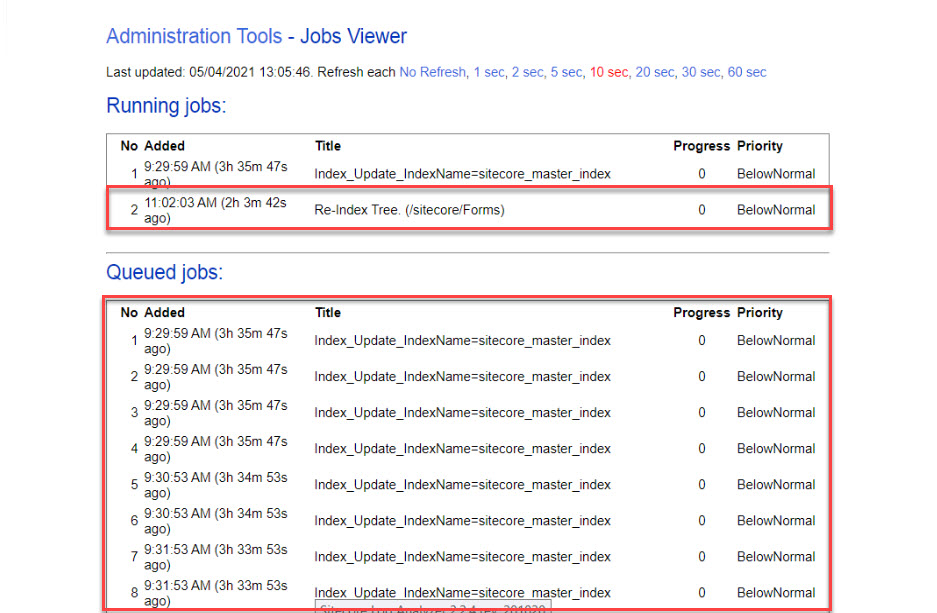
I checked the JobsViewer(/sitecore/admin/jobs.aspx) to check what jobs are running and to my surprise, the re-indexing only Forms folder was running for more than 2 hours and they were so many jobs queued up (Content Authors may be busy creating more content for the website).
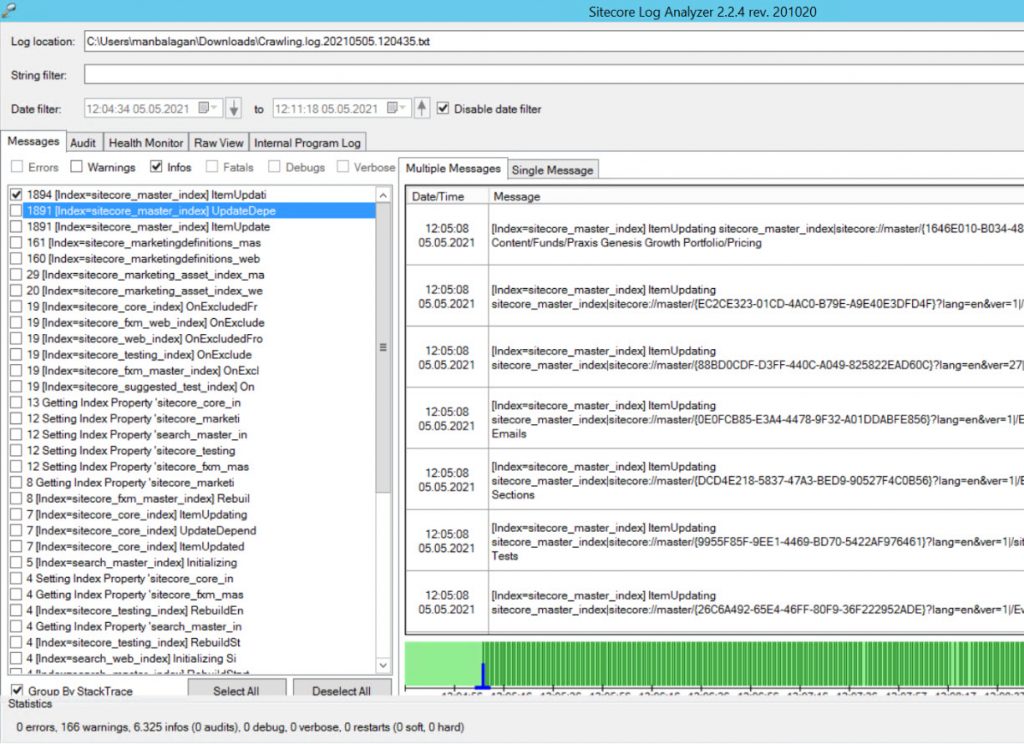
I was wondering what’s causing the indexing queue to be clogged. Checked the Crawling log using Sitecore Log Analyzer to see what’s happening and for every single update, it was triggering re-index synchronously and immediately checked the Indexing Strategy for sitecore_master_index and it was set to syncMaster!
This was the root cause of the problem because every time the Content Author was making a change it was triggering the re-index synchronously, whereas it should asynchronously re-indexed with an interval. I switched it to the intervalAsyncMasterstrategy to fix the issue.
Tip: Sitecore Log Analyzer is a powerful tool for parsing Sitecore log files. It provides the interface to explore and navigate through a large amount of log data.
Here is the patch I used to update the index strategy.
Now within few minutes, all queue jobs cleared and moved to finished jobs.
Checked Forms in Designer view, all forms were showing up! Tada!
I was working on a Sitecore 9.0.2 client project and the Sitecore Sidekick(1.4.4 version) was already installed. When I tried to initiate the Sidekick and it was throwing an error –
While researching the error, came to know that I need to update Rainbow and Unicorn (If you use Unicorn in your project to serialize items make sure you install the No Rainbow package as this will not overwrite Unicorn’s Rainbow DLL files but rather utilize whatever version Unicorn is using (Sidekick can work with any version). You can skip if your project doesn’t use it) packages as it wasn’t compatible with the versions that were installed.
I was wondering what version of these packages(SideKick, Rainbow, and Unicorn) will be compatible with Sitecore 9.0.2 and realized it doesn’t matter!
So decided to update the Sidekick(it automatically updates Rainbow) and Unicorn with the latest version via NuGet. Make sure to update all installed Sidekick packages to up-to-date. In my case, I updated the below ones –
SitecoreSidekickFoundation
SitecoreSidekickContentMigrator
SitecoreSidekickCore
SitecoreSidekickAuditLog
SitecoreSidekickEditingContext
It automatically updated all the dependencies like below
Now updating Unicorn(Skip if your project doesn’t use it for serialization)
All packages and it’s dependencies were successfully installed and deployed to QA and UAT environments(it needs to be deployed to the servers in order to make the contract) and the Sidekick started working.
Now we were able to pull content from any environment!
Installing via Sitecore Package
It is not recommended, If you like to install it in environments directly without check-in to source control, you can install it as a package. Download the latest package at the root of the repo.
We were seeing High memory utilization on the xConnect server and it coincides with when our monitoring service reports the site being down. Logs were particularly showing these two errors related to the xConnect –
Error #1:
System.OperationCanceledException: The operation was canceled.
at System.Threading.CancellationToken.ThrowOperationCanceledException()
at System.Web.Http.Filters.ActionFilterAttribute.<CallOnActionExecutedAsync>d__5.MoveNext()
--- End of stack trace from previous location where exception was thrown ---
at System.Runtime.ExceptionServices.ExceptionDispatchInfo.Throw()
at System.Runtime.CompilerServices.TaskAwaiter.ThrowForNonSuccess(Task task)
at System.Runtime.CompilerServices.TaskAwaiter.HandleNonSuccessAndDebuggerNotification(Task task)
at System.Web.Http.Filters.ActionFilterAttribute.<ExecuteActionFilterAsyncCore>d__0.MoveNext()
--- End of stack trace from previous location where exception was thrown ---
at System.Runtime.ExceptionServices.ExceptionDispatchInfo.Throw()
at System.Runtime.CompilerServices.TaskAwaiter.ThrowForNonSuccess(Task task)
at System.Runtime.CompilerServices.TaskAwaiter.HandleNonSuccessAndDebuggerNotification(Task task)
at System.Web.Http.Controllers.ActionFilterResult.<ExecuteAsync>d__2.MoveNext()
--- End of stack trace from previous location where exception was thrown ---
at System.Runtime.ExceptionServices.ExceptionDispatchInfo.Throw()
at System.Runtime.CompilerServices.TaskAwaiter.ThrowForNonSuccess(Task task)
at System.Runtime.CompilerServices.TaskAwaiter.HandleNonSuccessAndDebuggerNotification(Task task)
at System.Web.Http.Filters.AuthorizationFilterAttribute.<ExecuteAuthorizationFilterAsyncCore>d__2.MoveNext()
--- End of stack trace from previous location where exception was thrown ---
at System.Runtime.ExceptionServices.ExceptionDispatchInfo.Throw()
at System.Runtime.CompilerServices.TaskAwaiter.ThrowForNonSuccess(Task task)
at System.Runtime.CompilerServices.TaskAwaiter.HandleNonSuccessAndDebuggerNotification(Task task)
at System.Web.Http.Controllers.AuthenticationFilterResult.<ExecuteAsync>d__0.MoveNext()
--- End of stack trace from previous location where exception was thrown ---
at System.Runtime.ExceptionServices.ExceptionDispatchInfo.Throw()
at System.Runtime.CompilerServices.TaskAwaiter.ThrowForNonSuccess(Task task)
at System.Runtime.CompilerServices.TaskAwaiter.HandleNonSuccessAndDebuggerNotification(Task task)
at System.Web.Http.Controllers.ExceptionFilterResult.<ExecuteAsync>d__0.MoveNext()
Error #2:
Sitecore.XConnect.Operations.SetFacetOperation`1[Sitecore.XConnect.Facet]: Sitecore.XConnect.Operations.FacetOperationException: Operation #0, AlreadyExists, Contact {32971b60-1245-0000-0000-0611bab4b38e}, Classification
[Error] ["XdbContextLoggingPlugin"] XdbContext Batch Execution Exception
Sitecore.XConnect.Operations.FacetOperationException: Operation #0, AlreadyExists, Contact {32971b60-1245-0000-0000-0611bab4b38e}, Classification
 [Error] XConnect Exception Filter OnException(), url - "https://prod9-xconnect.everence.com/odata/Contacts?%24filter=Identifiers%2fany(id:id%2fIdentifier+eq+'a5642a9a87ad41e1ab65a624b7d1b1f6'+and+id%2fSource+eq+'xDB.Tracker')&%24expand=Identifiers,MergeInfo,ConsentInformation,Classification,EngagementMeasures,ContactBehaviorProfile,Personal,KeyBehaviorCache,ListSubscriptions,AutomationPlanEnrollmentCache,AutomationPlanExit,TestCombinations"
System.OperationCanceledException: The operation was canceled.
at System.Threading.CancellationToken.ThrowOperationCanceledException()
at System.Web.Http.Filters.ActionFilterAttribute.<CallOnActionExecutedAsync>d__5.MoveNext()
--- End of stack trace from previous location where exception was thrown ---
at System.Runtime.ExceptionServices.ExceptionDispatchInfo.Throw()
at System.Runtime.CompilerServices.TaskAwaiter.ThrowForNonSuccess(Task task)
at System.Runtime.CompilerServices.TaskAwaiter.HandleNonSuccessAndDebuggerNotification(Task task)
at System.Web.Http.Filters.ActionFilterAttribute.<ExecuteActionFilterAsyncCore>d__0.MoveNext()
--- End of stack trace from previous location where exception was thrown ---
at System.Runtime.ExceptionServices.ExceptionDispatchInfo.Throw()
at System.Runtime.CompilerServices.TaskAwaiter.ThrowForNonSuccess(Task task)
at System.Runtime.CompilerServices.TaskAwaiter.HandleNonSuccessAndDebuggerNotification(Task task)
at System.Web.Http.Controllers.ActionFilterResult.<ExecuteAsync>d__2.MoveNext()
--- End of stack trace from previous location where exception was thrown ---
at System.Runtime.ExceptionServices.ExceptionDispatchInfo.Throw()
at System.Runtime.CompilerServices.TaskAwaiter.ThrowForNonSuccess(Task task)
at System.Runtime.CompilerServices.TaskAwaiter.HandleNonSuccessAndDebuggerNotification(Task task)
at System.Web.Http.Filters.AuthorizationFilterAttribute.<ExecuteAuthorizationFilterAsyncCore>d__2.MoveNext()
--- End of stack trace from previous location where exception was thrown ---
at System.Runtime.ExceptionServices.ExceptionDispatchInfo.Throw()
at System.Runtime.CompilerServices.TaskAwaiter.ThrowForNonSuccess(Task task)
at System.Runtime.CompilerServices.TaskAwaiter.HandleNonSuccessAndDebuggerNotification(Task task)
at System.Web.Http.Controllers.AuthenticationFilterResult.<ExecuteAsync>d__0.MoveNext()
--- End of stack trace from previous location where exception was thrown ---
at System.Runtime.ExceptionServices.ExceptionDispatchInfo.Throw()
at System.Runtime.CompilerServices.TaskAwaiter.ThrowForNonSuccess(Task task)
at System.Runtime.CompilerServices.TaskAwaiter.HandleNonSuccessAndDebuggerNotification(Task task)
at System.Web.Http.Controllers.ExceptionFilterResult.<ExecuteAsync>d__0.MoveNext()
Investigation:
Created a dump using the Procdumptool. Here is the command I used for creating 18GB of the dump file
procdump -m 18000 -ma [Name or PID]
From reviewing the memory dump, we could see two SQL queries that have consumed 8GB and 6GB of memory in your XConnect instance.
Both queries were running the [xdb_collection].[GetInteractionsByContactIds] stored procedure. This stored procedure retrieves interaction data for a contact.
The queries are attempting to retrieve the interactions for a specific Contact ID. After reviewing some of the retrieved interactions from this contact, we could see the User-Agent for this contact was
Mozilla/5.0 (Unknown; Linux x86_64) AppleWebKit/534.34 (KHTML, like Gecko) PingdomTMS/0.8.5 Safari/534.34
The above agent is Pingdom (It is a website monitoring and availability service) to have many interactions stored in XConnect. Although it’s a bot, it was considered a valid user and the interactions were being tracked.
Resolution:
In order to mitigate the interactions from Pingdom, we added the User-Agent of Pingdom to the <excludedUserAgents> configuration (Sitecore.Analytics.ExcludeRobots.config) so that future visits from Pingdom are treated as a bot and not saved to XConnect.
I came across a scenario, where I need to update the email field for all custom forms built with ‘EmailTemplate’. Since it’s going to be a bulk update, decided to do it in SPE(so powerful!)
Here is the script I wrote –
This file contains hidden or bidirectional Unicode text that may be interpreted or compiled differently than what appears below. To review, open the file in an editor that reveals hidden Unicode characters.
Learn more about bidirectional Unicode characters
Sitecore 10 was out a couple of months back. I installed it using SIF, hit a couple of roadblocks while installing and sharing the resolutions that helped resolve the issues.
If you haven’t installed Sitecore 10, here are some blogs that help you install.
I have multiple Solr services running for different versions of Sitecore and here is the error I got while installing Sitecore 10.
“Port 8984 is already being used by another process. Please choose a different port”.
Run services.msc to check how many Solr’s are running on the machine.
Resolution:
If you have multiple instances of Solr running and you don’t know what port, it’s associated with. Here is a quick way to get the process name and kill if it’s is no longer needed.
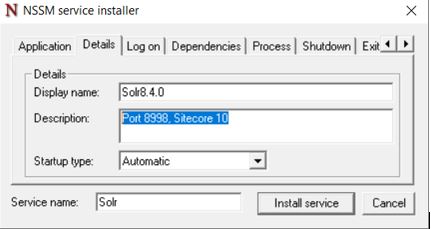
Also when installing the Solr, you can add the Port Name and Sitecore Version number or any information in the Description of Details tab.
This is life saver, do not need to worry about which Solr maps which port in the future!
Error # 2: SQL User Issue
“msdeploy.exe : Error: .Net SqlClient Data Provider: Msg 12809, Level 16, State 1, Line 5 You must remove all users with password before setting the containment property to NONE. At C:\ProgramFiles\WindowsPowerShell\Modules\SitecoreInstallFramework\2.2.0\Public\Tasks\Invoke-CommandTask.ps1:31 char:13”
Resolution:
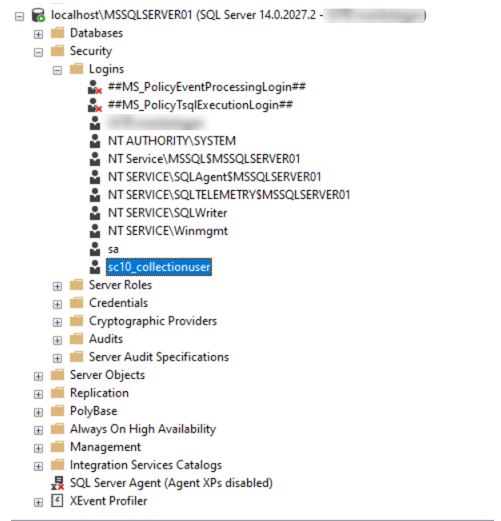
For some reason, the SC10 uninstall did not remove all the variables for failed instances. I removed the ‘sc10_CollectionUser’ in local DB users, fixed the issue.
Error # 3: Credential Issue
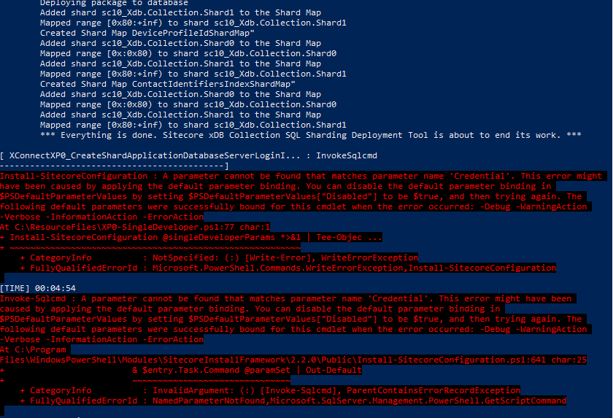
“Install-SitecoreConfiguration: A parameter cannot be found that matches parameter name ‘Credential’. This error might have been caused by applying the default parameter binding. You can disable the default parameter binding in
$PSDefaultParameterValues by setting $PSDefaultParameterValues[“Disabled”] to be $true, and then trying again. The following default parameters were successfully bound for this cmdlet when the error occurred: -Debug -WarningAction
-Verbose -InformationAction -ErrorAction
At C:\ResourceFiles\XP0-SingleDeveloper.ps1:77 char:1
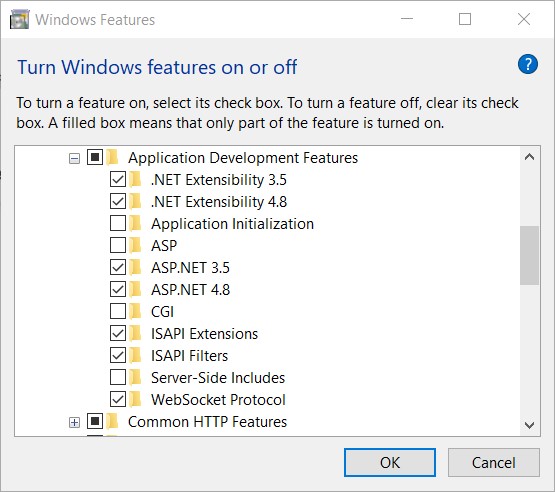
After you install the tools, restart your machine.
SameSite cookies and custom domains:
The commonly-used browsers such as Chrome and Safari are changing how the browsers interpret the SameSite cookie. After the change takes effect, Horizon will only work if the Sitecore Horizon host instance, the Sitecore identity instance, and the Sitecore CM instance belong to the same site.
Download Horizon 10 from here. I downloaded the on-premises deployment.
Extract the zip file and open InstallHorizon.ps1
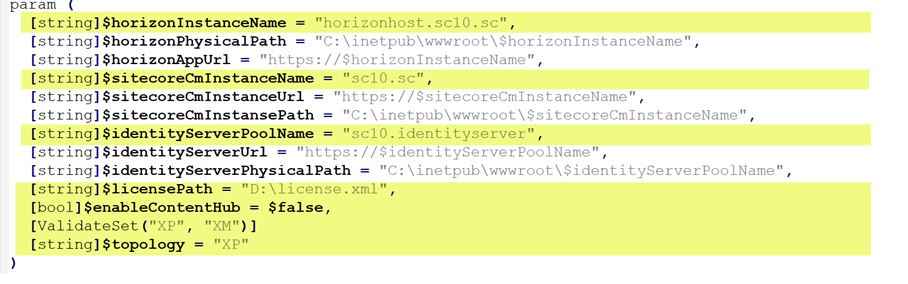
Fill out the below parameters –
Run the InstallHorizon.ps1 in Adminstrator mode.
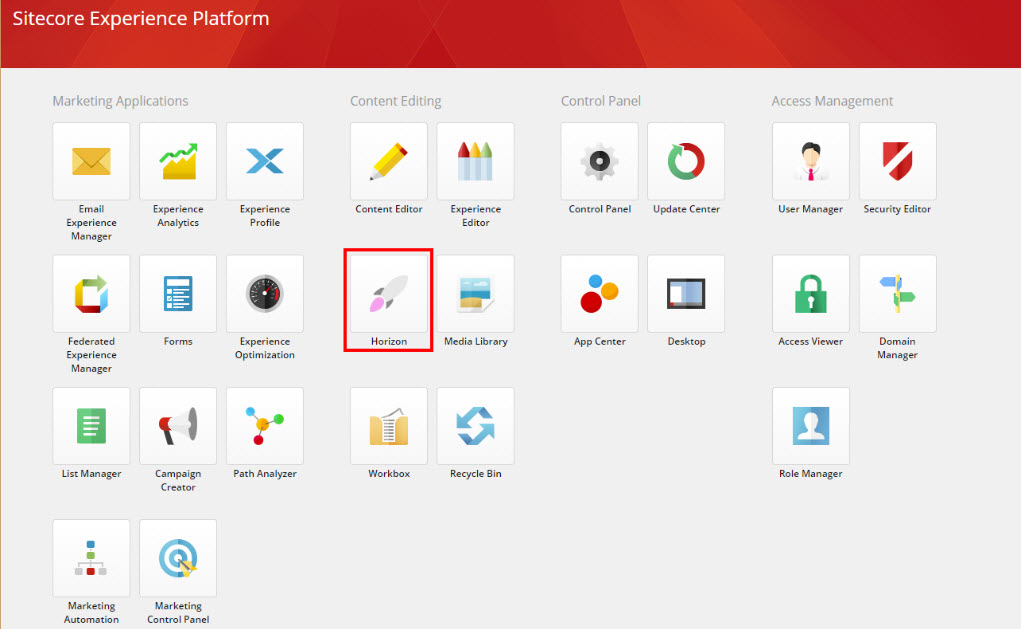
Once the installation is done (only takes 2 to 3 minutes), you will see a new Icon in Sitecore XP.
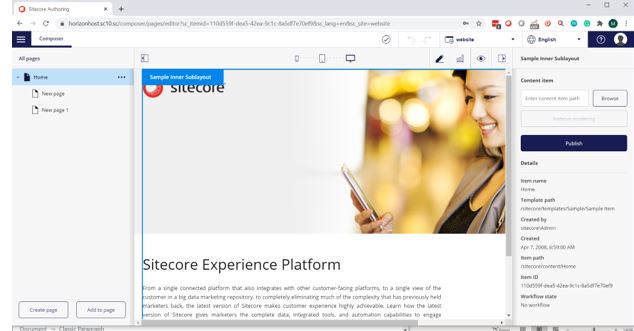
Clicking the Icon opens Horizon (yes, it’s separate IIS site) in a new tab and you can explore the new features!
Post Installation
To use the alignment and indentation features in the rich text editor in Horizon, make sure to add the below styles to your default style sheet (like default.css in your project).