The Problem
A common challenge with content-managed websites is that accessibility and quality checks happen too late.
The typical process looks something like this:
- Content editor creates a page.
- Page gets published.
- Accessibility issues are discovered later.
- SEO issues are identified by another team.
- Analytics are reviewed separately.
- Multiple remediation cycles follow.
By the time issues are detected, the content is already live.
For organizations operating under regulations like the European Accessibility Act (EAA), this approach introduces compliance risks. It also creates unnecessary overhead for editors and digital teams.
Why Siteimprove?
Siteimprove provides three key capabilities:
1. Accessibility
Automatically identifies WCAG compliance issues before content is published.
Examples include:
- Missing alt text
- Heading hierarchy issues
- Color contrast violations
- Missing labels
- ARIA accessibility concerns
2. Search Intelligence
Siteimprove Search Pro provides:
- Keyword monitoring
- Competitor analysis
- Search visibility reporting
- Market-specific insights
- Language-specific reporting
through integration with Google Search Console.
3. Analytics
Analytics Advanced delivers:
- Visitor behavior insights
- Engagement reporting
- Content performance metrics
- Website analytics dashboards
using a lightweight JavaScript implementation deployed through Google Tag Manager.
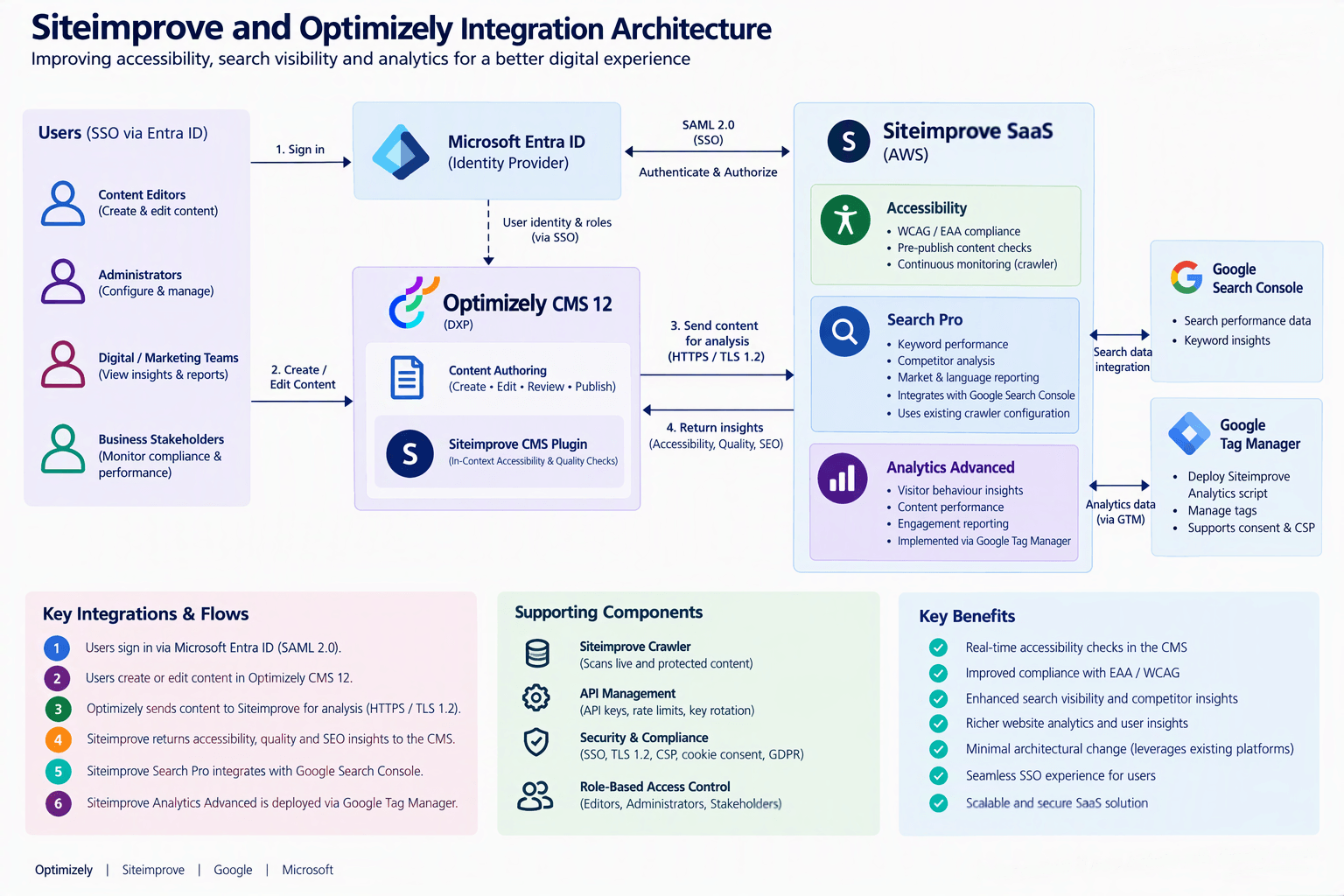
High-Level Architecture
At a high level, the integration is straightforward.
Installing the Siteimprove Plugin
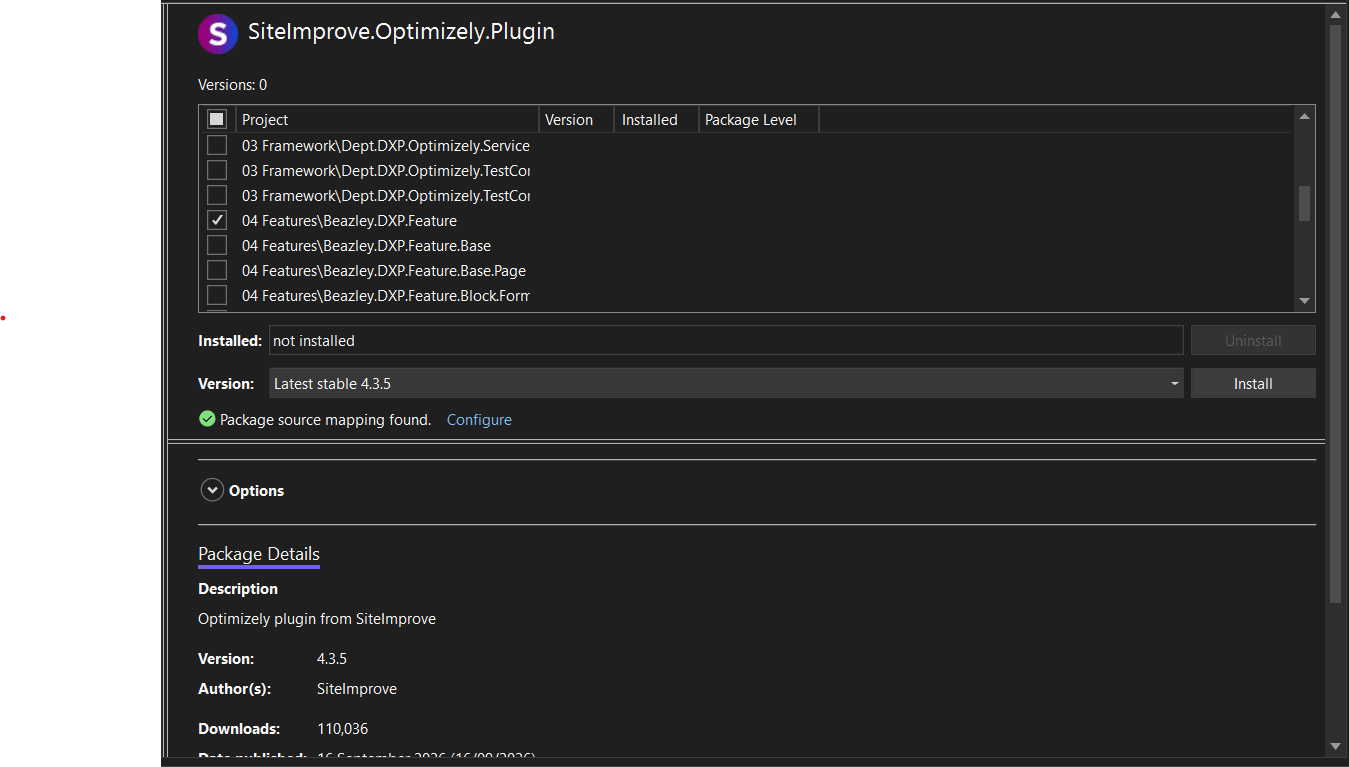
The first step is installing the Siteimprove Optimizely package.
At the time of writing, the Siteimprove Optimizely CMS 12 package is available through the Optimizely NuGet feed. The solution design referenced version 4.3.5
Once installed:
- Restart the application.
- Configure Siteimprove credentials.
- Verify plugin connectivity.
- Assign access permissions.
The plugin communicates securely with the Siteimprove platform using API credentials and TLS 1.2 encryption.
How Pre-Publish Accessibility Checks Work
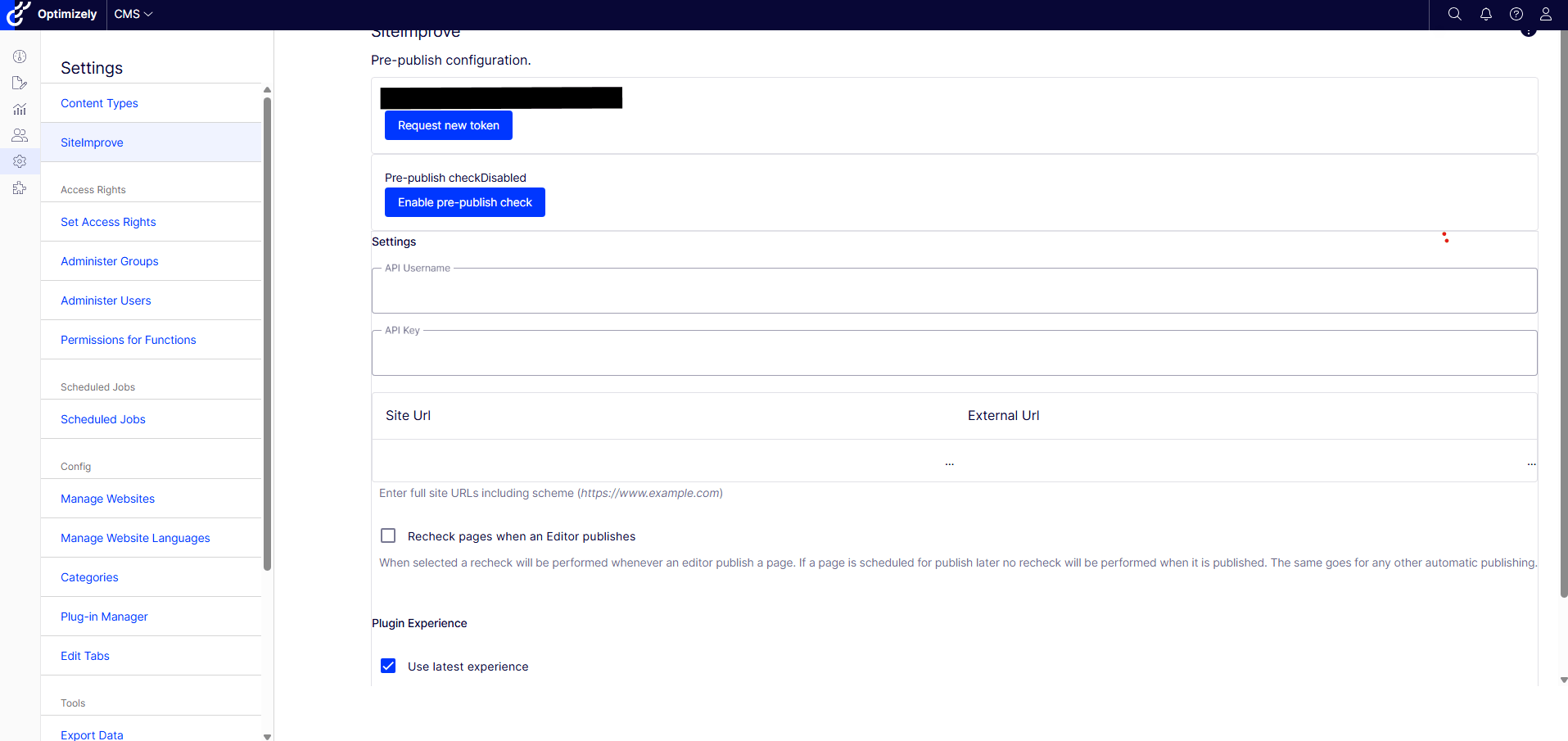
This is the capability most clients get excited about.
When a content editor performs a pre-publish validation:
- The editor creates or updates content in Optimizely.
- The Siteimprove plugin extracts the rendered HTML.
- The HTML payload is sent to Siteimprove for analysis.
- Siteimprove evaluates:
Accessibility
Content quality
Policy compliance
SEO recommendations
- Results are returned directly into the CMS interface.
Instead of discovering problems after publishing, the editor receives immediate feedback before the content becomes public.
Single Sign-On Integration
Many organizations want a seamless authentication experience.
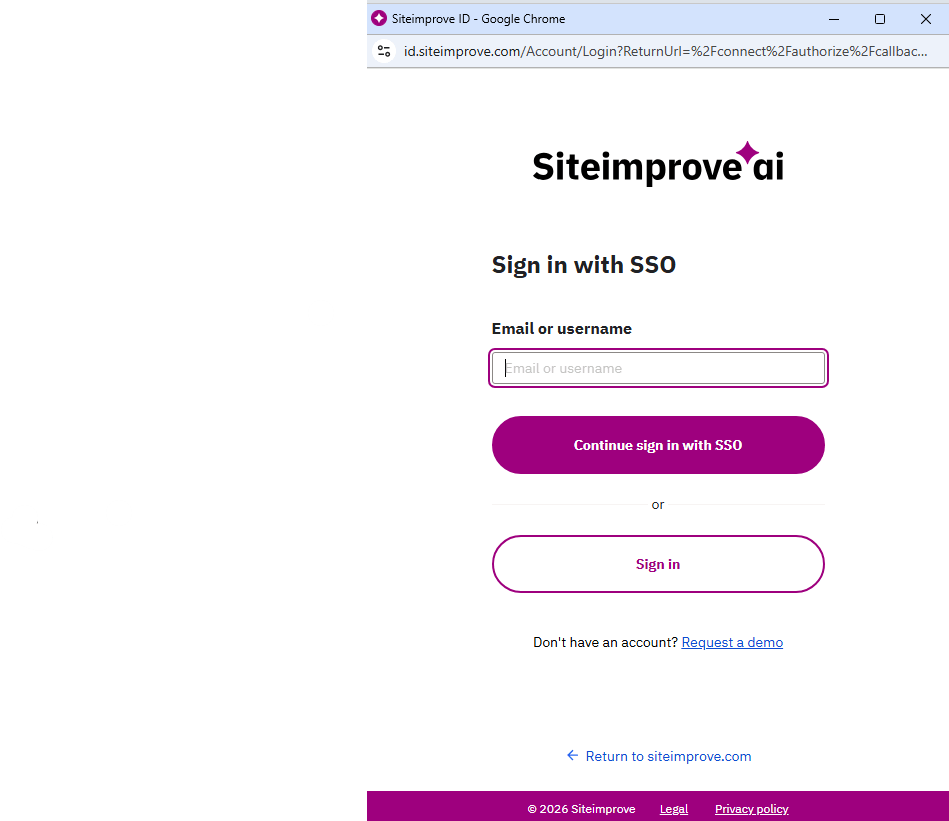
A typical enterprise deployment uses Microsoft Entra ID (formerly Azure AD) as the Identity Provider and Siteimprove as the Service Provider. The integration uses SAML-based SSO.
The experience for the editor is simple:
- User signs into Optimizely.
- User opens Siteimprove.
- Authentication is delegated through Entra ID.
- Siteimprove grants access based on assigned permissions.
No additional passwords need to be managed by content editors.
Role-Based Access Control
One area that solution architects often overlook is governance.
Siteimprove supports role-based permissions allowing organizations to:
- Separate administrators from editors.
- Control access to reports.
- Restrict configuration changes.
- Delegate responsibilities appropriately.
In enterprise environments, user access is typically aligned with organizational roles and mapped through SSO authentication.
Search Pro Integration
Search Pro extends Siteimprove beyond accessibility.
Instead of simply reporting website issues, it helps digital teams understand how users discover content.
Configuration typically includes:
- Markets
- Languages
- Keywords
- Competitor domains
- Reporting dashboards
- Google Search Console integration
The important architectural detail is that Search Pro leverages data already gathered by Siteimprove’s crawler. No significant changes are required to the website architecture.
Analytics Advanced Integration
Implementing Analytics Advanced is refreshingly simple.
The solution uses Google Tag Manager to deploy the Siteimprove analytics script.
Benefits include:
- Minimal code changes
- Centralized tag management
- Faster deployment
- Controlled governance process
If your organization implements a Content Security Policy (CSP), remember to review and update the policy to permit Siteimprove analytics resources. This is often missed during implementation planning.
Crawling Protected Content
A question I get frequently is:
“What about authenticated pages?”
The answer is yes, Siteimprove can crawl protected content.
Common approaches include:
Dedicated Crawl Account
Create a dedicated Entra ID service account with read-only access.
Authentication Tokens
Provide secure tokens for crawler authentication.
Authenticated Sessions
Allow Siteimprove to access protected content through configured authentication mechanisms.
This enables accessibility and quality analysis on content that isn’t publicly accessible.
Things Every Solution Architect Should Consider
API Rate Limits
Siteimprove applies rate limits at the API key level.
For environments with high API usage, multiple API keys can be provisioned.
Logging Expectations
A common misconception is that Optimizely manages Siteimprove processing logs.
It doesn’t.
The plugin integration sits inside Optimizely, but operational troubleshooting often relies on Siteimprove’s own diagnostics and support processes.
Key Rotation
API credentials should be rotated regularly.
The architecture I reviewed followed an annual rotation process.
SSO Resilience
Always maintain at least one local administrative Siteimprove account.
If an SSO configuration issue occurs, you’ll need a break-glass account to regain access.
What I Like Most About This Integration
Many CMS integrations promise value but require major customization.
Siteimprove is different.
The implementation is largely configuration-driven:
- Install the CMS plugin.
- Configure API access.
- Enable SSO.
- Configure Search Pro.
- Deploy Analytics using GTM.
- Start improving content quality.
From an architectural perspective, the solution introduces minimal platform complexity while delivering benefits across compliance, accessibility, SEO, governance, and analytics.
Final Thoughts
The real value of Siteimprove isn’t the dashboard. It’s moving accessibility, SEO, and quality checks into the content creation process itself.
Editors get immediate feedback, compliance risks are reduced, and digital teams gain better visibility into search performance and user behavior without introducing significant architectural overhead.
For organizations using Optimizely DXP, Siteimprove is one of those integrations that delivers quick wins for both business stakeholders and content teams while remaining relatively lightweight from a solution architecture perspective.
And as every architect eventually learns, the best integrations are usually the ones editors barely notice because everything simply works.
Happy Optimizing!


