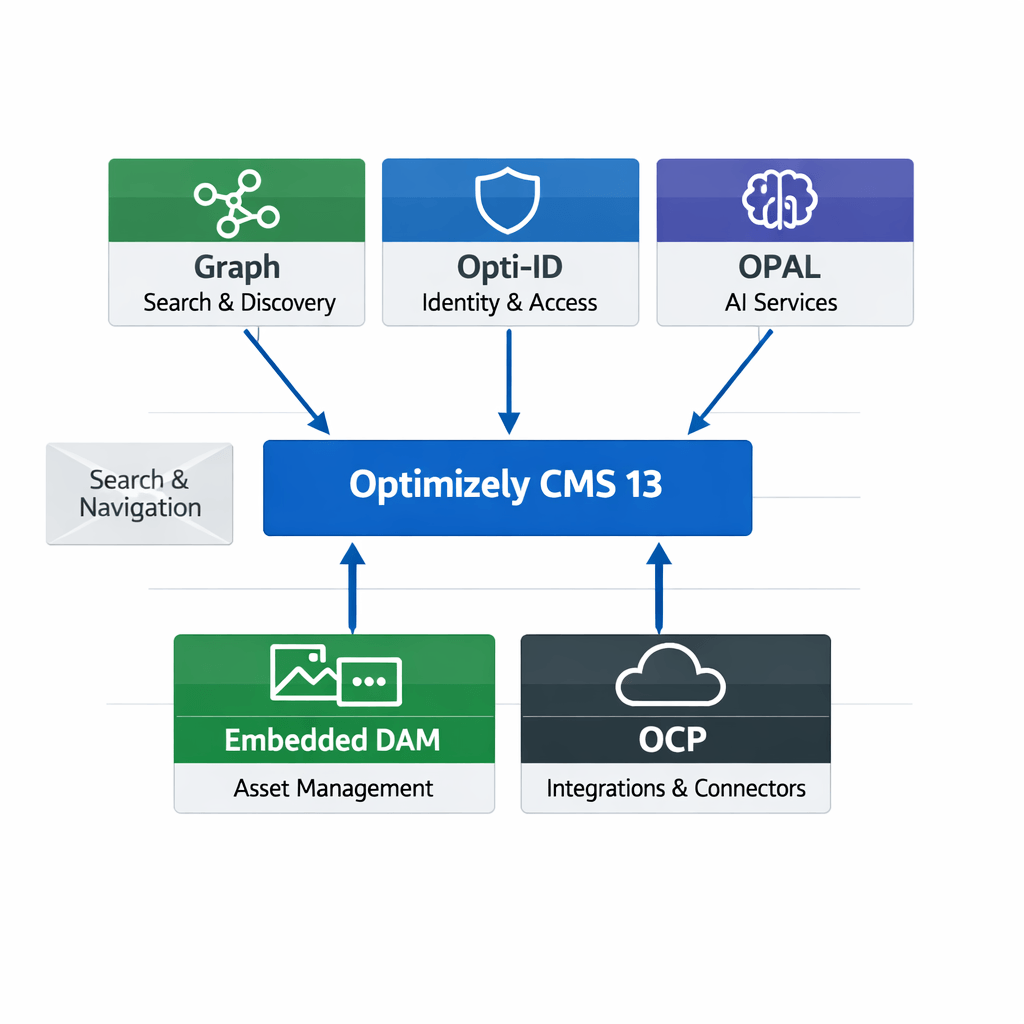
Many Optimizely customers are planning their roadmap around a future migration to Optimizely CMS 13. As a result, upgrades such as Opti ID adoption and .NET modernization are often postponed until the CMS 13 project begins.
However, waiting for CMS 13 is not necessary.
Organizations running Optimizely CMS 12 can upgrade to Opti ID and move to .NET 10 today, gaining immediate security, performance, and operational benefits while reducing the complexity of a future CMS 13 migration.
Why Modernize on CMS 12?
Instead of combining multiple transformations into a single CMS 13 project, organizations can:
- Improve security immediately
- Standardize authentication
- Modernize the application platform
- Reduce future migration complexity
- Enable newer Optimizely SaaS capabilities
A phased modernization approach is typically lower risk than a large-scale platform upgrade.
Part 1: Implementing Opti ID in CMS 12
What is Opti ID?
Opti ID is Optimizely’s centralized authentication platform that provides:
- Single Sign-On (SSO)
- Multi-Factor Authentication (MFA)
- Centralized user administration
- Unified access across Optimizely products
- Improved security and compliance
Required NuGet Packages
Depending on your CMS 12 version, install or upgrade the following packages.
Core CMS Packages
Install-Package EPiServer.CMS
Install-Package EPiServer.CMS.AspNetCore
Install-Package EPiServer.CMS.UI
Identity Packages
Install-Package EPiServer.CMS.UI.AspNetIdentity
Install-Package Microsoft.AspNetCore.Authentication.OpenIdConnect
Install-Package Microsoft.Identity.Web
Always align package versions with the Optimizely-supported package matrix for your CMS version.
Step 1: Enable Opti ID in Optimizely
Within the Optimizely Admin Portal:
- Navigate to Administration
- Enable Opti ID
- Configure organization users
- Assign product access
- Configure MFA policies
Step 2: Configure Authentication
Update Program.cs.
Add Authentication Services
builder.Services
    .AddAuthentication(options =>
    {
        options.DefaultScheme = CookieAuthenticationDefaults.AuthenticationScheme;
        options.DefaultChallengeScheme = OpenIdConnectDefaults.AuthenticationScheme;
    })
    .AddCookie()
    .AddOpenIdConnect(options =>
    {
        options.Authority = configuration["Authentication:Authority"];
        options.ClientId = configuration["Authentication:ClientId"];
        options.ClientSecret = configuration["Authentication:ClientSecret"];

        options.ResponseType = "code";

        options.SaveTokens = true;
    });
Step 3: Configure appsettings.json
{
  "Authentication": {
    "Authority": "https://login.optimizely.com",
    "ClientId": "xxxxx",
    "ClientSecret": "xxxxx"
  }
}
Step 4: Configure Authorization
Map Opti ID users to CMS roles.
Example:
services.AddAuthorization(options =>
{
    options.AddPolicy("CmsEditors",
        policy => policy.RequireRole("WebEditors"));
});- WebEditors
- Administrators
- ContentApprovers
- MarketingUsers
Part 2: Upgrading CMS 12 to .NET 10
Why Upgrade?
Benefits include:
- Improved performance
- Better security
- Long-term support alignment
- Reduced technical debt
- Better cloud-native capabilities
Step 1: Upgrade Development Environment
Install:
- .NET 10 SDK
- Visual Studio 2026 (or latest supported version)
Step 2: Update Project Files
Update:
<TargetFramework>net10.0</TargetFramework>
Step 3: Upgrade NuGet Packages
CMS Packages
<PackageReference Include="EPiServer.CMS.Core" Version="12.24.0" />
<PackageReference Include="EPiServer.CMS.UI" Version="12.34.4" />
Microsoft Packages
<PackageReference Include="Microsoft.Extensions.*" />
<PackageReference Include="Microsoft.AspNetCore.*" />
<PackageReference Include="Microsoft.Identity.Web" />
Hope this helps.