
I came across a scenario where I needed to exclude the default value for dropdowns in Sitecore Forms. By default, dropdown fields in Sitecore Forms often preselect the first option, which might be a placeholder like “Select an option.”
If users submit the form without changing this value, it can lead to unreliable data. Custom validation helps enforce user interaction, ensuring the selection is meaningful.
Steps to Implement Custom Validation in Sitecore Forms
Step 1: Create a Custom Validator
- Navigate to your Sitecore solution and open the project where Sitecore Forms is configured.
- Create a new class that extends FormConditionalValidator and override the validation logic.
Step 2: Register the Validator in Sitecore
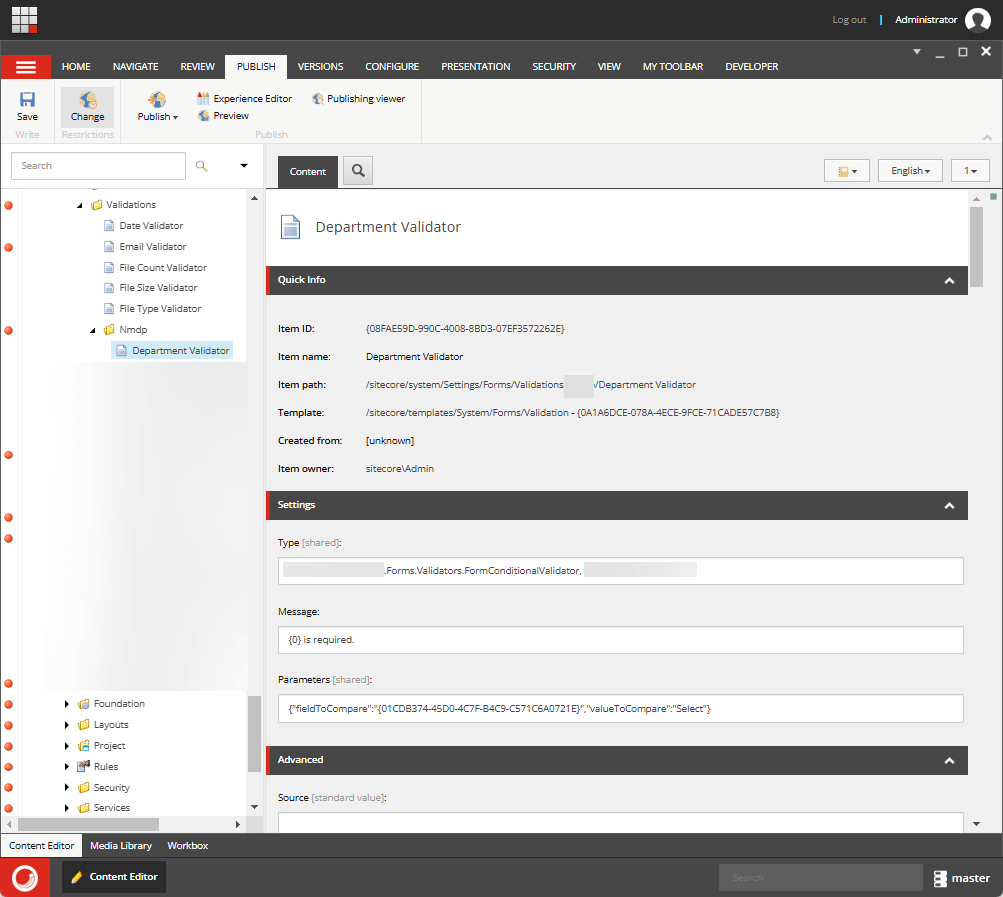
- Open Sitecore Content Editor and navigate to:
/sitecore/system/Settings/Forms/Validation - Create a new validation item:
- Name:
Department Validator (Change it according to Project needs) - Type: Reference the class you created, e.g.,
Custom.Validators.DropdownDefaultValueValidator, CustomAssembly - Message:
"{0} is required" - Parameters:
"{"fieldToCompare":{Guid-of-the-dropdown}", "valueToCompare": "Select"}
- Name:
- Save and publish the changes.
Step 3: Apply the Validator to Your Dropdown Field
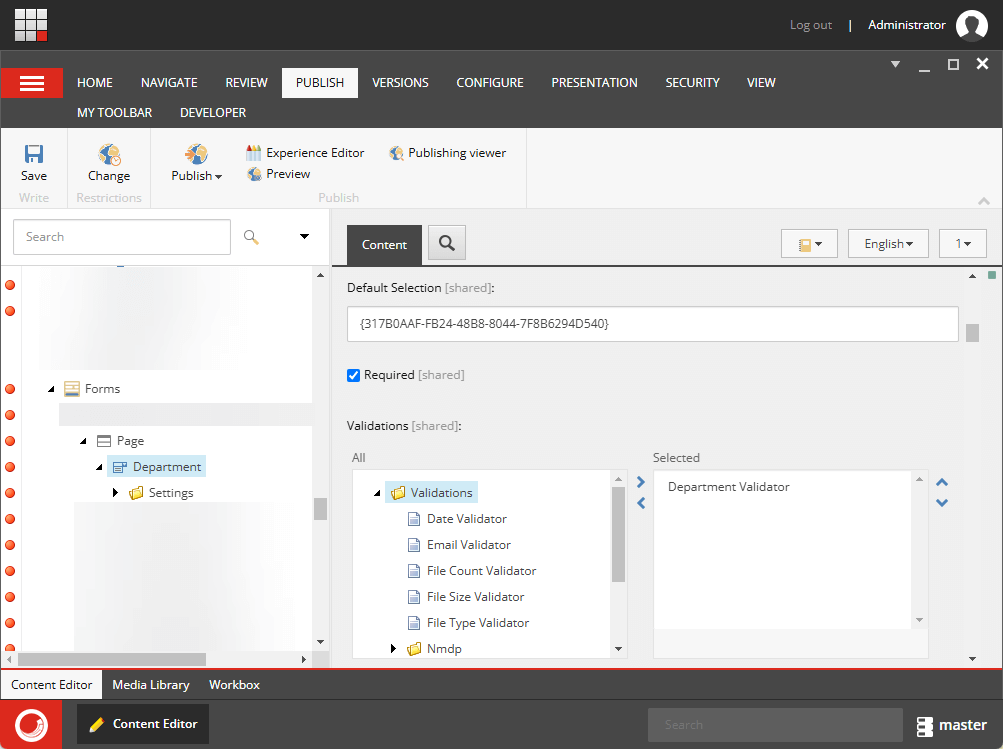
- Open your form in Sitecore Forms Designer.
- Select the Dropdown field where validation is needed.
- Under the Validation section, add the newly created validator.
- Save and publish the form.
Let’s test – It’s working! Yay!!

Hope this helps.
Happy Sitecoring!


