Recently, our team faced a production issue where users suddenly lost access to Optimizely CMP, Opti ID Admin Center, and the Optimizely Support Portal.
The interesting part was that users had been logging in successfully until the previous day. Then, without any application deployment on our side, multiple users started receiving authentication errors and were completely locked out.
What initially looked like a user account or SSO configuration issue eventually turned out to be a SAML certificate mismatch between the Identity Provider (IdP) and Optimizely Opti ID.
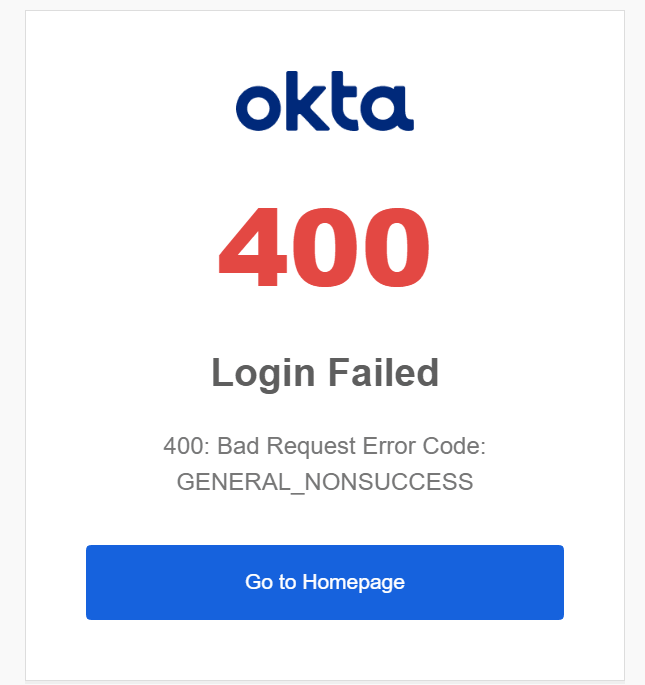
The Issue
Users reported being unable to access:
- Optimizely CMP
- Opti ID Admin Center
- Optimizely Support Portal
The failures started suddenly, even for users who had logged in successfully earlier the same day.
Multiple users were impacted, ruling out a single account issue.
Some of the initial symptoms included:
- Login redirect loops
- Authentication failures after SSO redirection
- Inability to access Admin Center
- Production business users locked out of CMP
Because Admin Center access was also unavailable, troubleshooting became significantly more challenging.
Initial Investigation
Like most SSO-related incidents, we first started with common causes.
Verify User Status
The affected accounts were verified as:
within Opti ID.
There were no indications that:
- Accounts had been disabled
- Passwords had expired
- Invitations had expired
- Users had been locked out
Browser and Cache Validation
We tested:
- Different browsers
- Incognito mode
- Cache clearing
- Session cookie removal
The result remained the same.
Validate SSO Configuration
The next step was validating:
- Audience URL
- Assertion Consumer Service (ACS) URL
- SAML Connection configuration
- Opti ID SSO settings
Everything appeared correct.
At this stage, the configuration visually looked healthy.
The Breakthrough
After reviewing the authentication logs, Optimizely Support identified the following error:
The digital signature in the SAML responsedid not validate with the Identity Provider’s certificate.
This immediately shifted the investigation away from users and toward the SAML trust configuration.
The error indicates that Optimizely successfully received the SAML response but could not validate the signature attached to the assertion.
Understanding the Root Cause
SAML authentication relies heavily on certificate trust.
When an Identity Provider sends a SAML assertion, it digitally signs the response using its private key.
The Service Provider (in this case Optimizely) validates that signature using the certificate configured in its SSO setup.
If the certificate configured in Optimizely does not match the certificate used by the Identity Provider, validation fails.
Typical reasons include:
- Certificate renewal
- New certificate uploaded in Entra ID
- Expired signing certificate
- Incorrect certificate uploaded into Opti ID
- Metadata changes not synchronized
Although users often see a generic login failure, the underlying issue is usually a trust relationship problem between the two systems.
How We Validated the Issue
The support team recommended reviewing the SAML configuration and verifying that the certificate configured within Opti ID matched the active signing certificate configured in the Identity Provider.
Particular attention was paid to:
- SAML signing certificate
- Federation metadata
- Certificate thumbprint
- Certificate expiration dates
This review revealed a mismatch between the certificate expected by Optimizely and the certificate being used by the Identity Provider.
Conclusion
In this case, the production outage was not caused by user accounts, passwords, browser cache, or Optimizely platform availability.
The root cause was a mismatch between the certificate configured in Opti ID and the certificate used by the Identity Provider to sign SAML responses.
Once the certificate configuration was aligned between both systems, authentication was restored and users regained access to Optimizely CMP and Admin Center.
Hopefully this helps anyone troubleshooting a similar Optimizely SAML SSO issue.
Happy Optimizing!


